Discover the Dongles Plus and Max Sonoff

This page has been visited ... times
Sommary
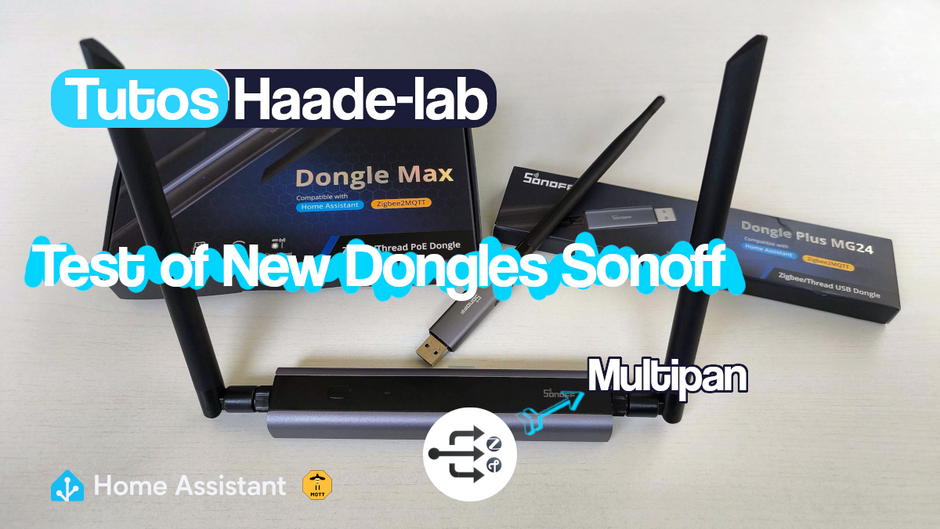
In the ever-growing world of Zigbee dongles based on Silabs EFR32 chips, Sonoff presents its two new dongles: Plus and Max.
Following the P and E dongles, the brand has completely redesigned its Zigbee dongles.
At first glance, the two new dongles have been entirely redesigned and join the ranks of high-quality dongles. The products are very well packaged and have a very high-quality finish; they exude a 100% quality manufacturing design.

Dongle Plus MG24
Let’s start with this PM24 dongle, The box boasts compatibility with Home Assistant and Zigbee2MQTT. The packaging is optimized, and when you take the key out of the box, the antenna is striking. Its length is impressive compared to the stick, which provides an additional 3dBi gain on top of the chip’s 20dBi. We conducted some distance tests at the bottom of this article.

Like previous dongles from the brand, the MG24 Plus dongle has an aluminum casing in a striking anthracite gray, but unlike its predecessors, the casing is much smaller, making the product significantly lighter—a definite advantage to avoid straining the USB port of the home automation system.

 Buy Now out of Aliexpress
 Buy Now out of Sonoff
Second important feature lies in the chip used, a Silabs EFR32MG24 which is significantly more powerful than the MG21 series. With key features such as high 2.4 GHz RF performance, low power consumption, and a hardware AI/ML accelerator and Secure Vault™, an ARM Cortex®-M33 processor clocked up to 78 MHz, with up to 1.5 MB of Flash memory and 256 KB of RAM, the mg24 chip is ideal for performance and wide area networks.
Regarding build quality, there’s nothing to complain about; the quality is there. The Zigbee and Thread firmwares work well. However, it’s impossible to get the multipan function working, even though it’s advertised as stable in version 4.6.0. I haven’t been able to integrate Tado TRV modules and simultaneously include Sonoff Zigbee modules.
In this context, verifying and connecting to the Thread network is simply impossible!
I don’t know if it’s my fault, but after numerous attempts, I finally gave up.
Furthermore, I performed Zigbee range tests, and here too, I’m disappointed. The Sonoff Plus MG24 dongle has a weaker signal, despite the antenna, than the Nabu Casa ZBT1 dongle (Skyconnect). What leaves something to be desired is a real shame; I don’t recommend it.
Conclusion: Dongle Plus MG24
This is a impeccably made dongle. Its dimensions and weight are minimal. The antenna size is larger than other dongles with antennas, except for the Dongle Max, but similar to SMLight brand dongles. So, if you’re looking for a quality dongle with a latest-generation chip, then this is for you. But if you’re looking for an exceptional dongle, then look elsewhere.
Sonoff Dongle Max
Sonoff decides to follow in the footsteps of the manufacturer SMLIGHT by creating a remote dongle and I must say that the observation is unambiguous.

The Max dongle has nothing to do with the Sonoff Plus dongle.
Well, unless it uses the same Silabs Zigbee chip EFR32MG24

 Buy Now out of Domadoo
Here too, the packaging is neat. Inside, you’ll find an aluminum dongle with two large antennas, one for Zigbee and the other for Wi-Fi. Yes, this dongle supports Wi-Fi access point mode.
The Sonoff Max dongle comes with a wall-mounting bracket, screws, and wall anchors. It includes a USB-C cable that is only for power; don’t try to transfer data to your Home Assistant box—it won’t work. Finally, it comes with a basic instruction manual and double-sided tape for secure mounting.

In terms of construction, the Dongle Max is similar to the Dongle Plus, but larger in size, as are the antennas. This is to be expected, as the Dongle Max is more than just a Zigbee/Wi-Fi dongle; it can function as a multi-protocol hub and client.

Dongle Max Management Interface
Accessing the interface is very simple: just connect the dongle via RJ45 to your network and type http://dongle-m.local into your preferred browser’s search engine.

You will be able to:
- Connect to eWeLink tools
- Create a Wi-Fi access point
- Perform updates on the chips and even automate this process (note that to test multipan mode you need to switch to beta 1.0.4)
- Find the necessary information to connect to Z2M or ZHA directly on the interface
- Connect to an MQTT client and make it compatible with various software
- Create webhooks
- Create a WireGuard client
- Create backups
- Finally, you will be able to modify various settings
It allows you to create a WireGuard VPN client!
To give a quick update because I haven’t tested everything, I only see one advantage: creating a remote local network :) Connecting a Home Assistant box to a remote Zigbee network is perfectly possible, allowing you to control your Zigbee network without any limitations.
In reality, the VPN client is there to securely connect the Sonoff Max dongle to the box.
Why connect to an MQTT client?
I think this option was integrated to allow this dongle to communicate with any system using an MQTT server, making the dongle compatible with almost anything!
Above, I’ve included a video that showcases the various functions. The ability to modify certain parameters, such as LED color management, is very impressive.
I did notice a few minor bugs that are still present and should be fixed in the coming weeks.
Multipan Test (beta*)
Unlike the MG24 Plus dongle, I managed to integrate Tado° Trv devices and Sonoff Zigbee SNZB-02P thermometers, and guess what? It works! In a future video, I’ll present the installation at Flo’s house using Multipan. There is, however, one significant drawback: I have the impression that the dongle’s transmission/reception is weakened in Multipan mode.
It’s more than just an impression; it’s definitely the case. If I configure the dongle as a Thread router, all the modules in the house are recognized by the network! The same is true for Zigbee.
Max Dongle Conclusion
In conclusion, the Max dongle is a very, very good dongle, which is also very versatile. I set up a Tado° Thread installation at a friend’s house with Sonoff Zigbee in a multipan configuration. Aside from a range issue with the frequencies, the network works, but be aware that it is still listed as a Beta version on the manufacturer’s website.
Differences between Max and Plus
The Dongle Plus MG24 (Dongle-PMG24) is the enhanced version of the ZBDongle-E. It replaces the EFR32MG21 chip with the EFR32MG24. Flash memory has been increased by 100% and RAM by 300%, while standby power consumption has been reduced. Finally, its more compact form factor makes it easier to connect to various USB ports.

Ah yes indeed, it’s like night and day between the size of the dongle and the antennas, so you can get an idea of the dimensions.

Plus and Max dongle distance test
Let’s move on to an important test: Zigbee coverage distance. This test will compare the quality of the link between the following Zigbee dongles:
- Nabu Casa Skyconnect dongle (ZHT-01)
- Sonoff Plus MG24 dongle
- Sonoff Max remote dongle
The firmware tested is 8.2.0 Pure Zigbee! The link module is a battery-powered thermostat, specifically a Sonoff SNZB-02P end device.
The distance between the dongle and the thermostat module is the same.
The distance between the Sonoff SNZB-02P and the dongle is 13 meters in an open environment. As a reminder, Zigbee dBi ranges from 0 to 255, and 255 is the highest network power.
| Skyconnect | Plus Dongle | Max Dongle | |
|---|---|---|---|
| 13m open | 144 | 120 | 255 |
| 20m open/floor | 76 | 76 | 223 |
The conclusion is clear, the Max dongle is the clear winner. However, I am disappointed with the MG24 Plus dongle, which performs worse than the Nabu Casa key, which, it should be noted, lacks a Zigbee antenna. I performed the tests twice, and the results are almost identical.

Sonoff Firmware Flashing
For the Max MG24 dongle, two methods are available to update the firmware.
Via the web interface by connecting the dongle directly to your PC. This works natively on Linux. For other systems, you will need to install the CP210x drivers beforehand.
So, online, go to the Sonoff dongle flasher page, connect your dongle to your PC, and follow the online steps. Nothing too complicated.
The second option, if your key is installed on a Home Assistant operating system box, is to install the flash module directly by clicking here
The module’s GitHub page is available there., Sonoff to write a technical note on the support page It is very well detailed.
In both cases, Sonoff offers firmware for the MG24 Plus dongle, compatible with Zigbee, Thread, and/or Multipan Thread+Zigbee. This is excellent, as the environment and future development remain under Sonoff’s control without needing to access external directories like the one offered by Darkxst.
Personally, for the sake of a future installation, I have flashed this key onto the Multipan firmware.
Conclusion
These two Sonoff dongles are very well made. I am satisfied with the Dongle Max, but on the contrary, I am quite disappointed with the Dongle Plus MG24 because the antenna doesn’t seem to be working properly. Regarding firmware changes or updates, the online tool provided by Sonoff does the job well. As for the MULTIPAN firmware, I doubt it will ever be effective.

Articles that might interest you
Nuki Smart Lock Ultra, Fob and Door Sensor test the ultimate smart lock
Some time ago I tested the Tedee Go smart lock and its accessories. The product left me with an unfinished feeling: noisy (70dB!), power-hungry and limited in connectivity. Today I’m...

Kincony B8M ESP32 8-channel MOSFET controller test for irrigation
I’ve been looking for a compact and silent multi-channel controller to drive my 24V DC irrigation system for quite some time. After testing Zigbee solutions like the Sonoff SWV or...
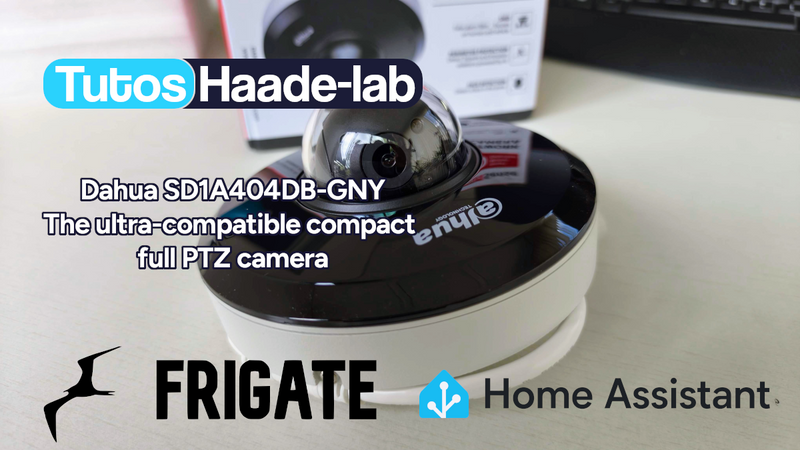
Dahua SD1A404DB-GNY the full option PTZ camera in Frigate
Following my Reolink Trackmix Poe camera test, I mentioned having found my ideal camera with a Dahua model. Well, here we are! Let me introduce the Dahua SD1A404DB-GNY, a compact...
Comments